Engineering · 03PLC programming, in a tab
RungCraft
A PLC ladder and structured-text editor with a real scan-cycle simulator, in a browser tab.
Version
0.3.0 Released
Runs
Any modern browser · macOS / Windows launcher
Projects
IndexedDB · .ladproj.json
Licence
Open core (MIT) Public repository
01Ladder
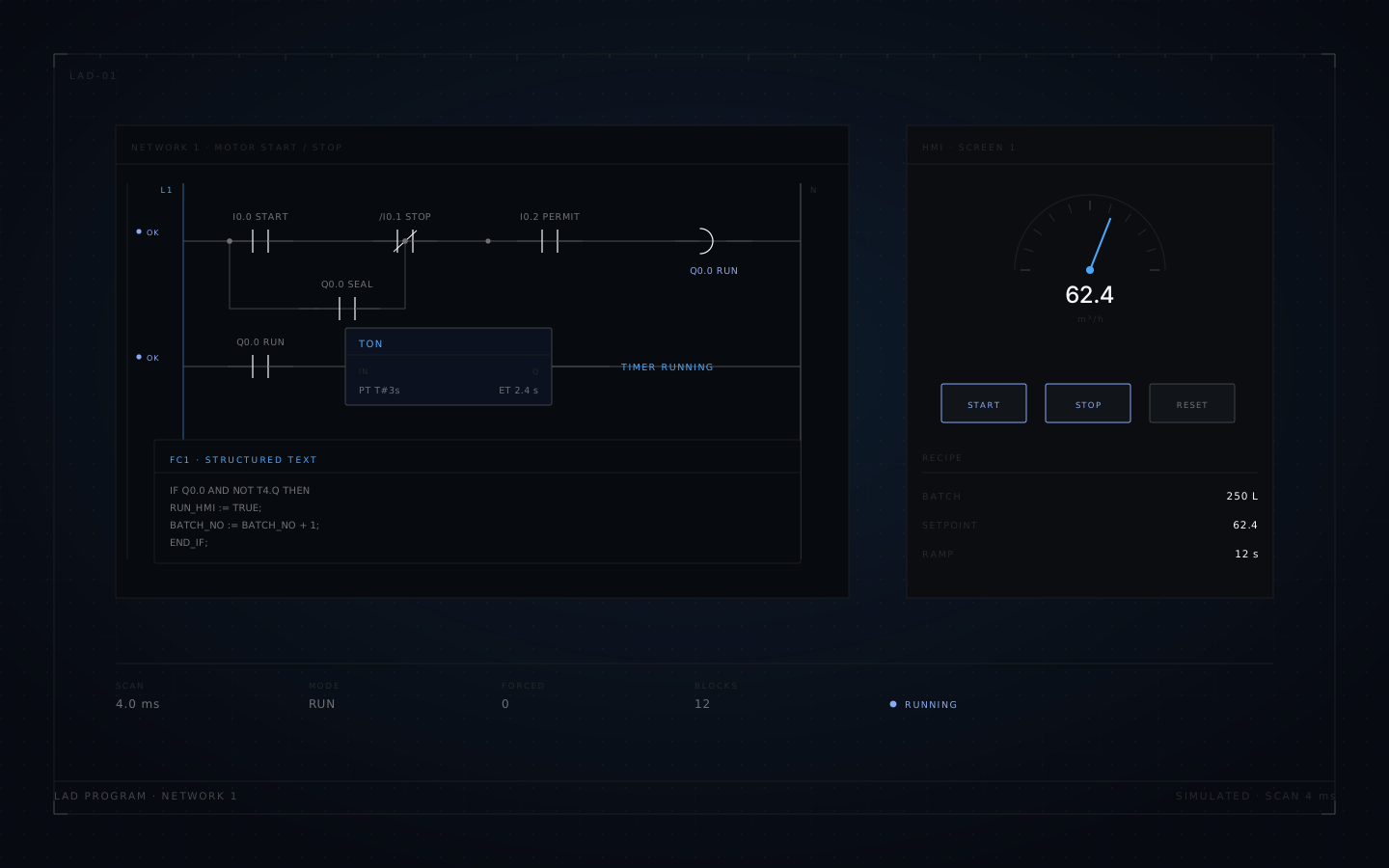
Ladder editing that behaves like ladder logic
Contacts and coils in every form the work needs: normally open, normally closed, edge, set/reset and negated. Series and parallel branches, multi-coil rungs, drag re-ordering, and inline operand editing with autocomplete.
A variable can be created where it is used, rather than in a dialog three screens away. Keyboard-first shortcuts, undo and redo throughout.
02Structured text
ST that shares the same program
Syntax highlighting and live diagnostics, the full statement set, timers and counters, arrays and UDT fields, Chinese identifiers, and T#1s time literals.
FC and FB calls work across LAD and ST in both directions, so a block can be written in whichever notation is clearer and called from the other.
- Live diagnostics as you type, inside the block
- Arrays and UDT fields with nesting
- Mixed blocks LAD and ST block by block, in one project
IF "Motor_Start" AND NOT "Motor_Stop" THEN
    "Conveyor_Run" := TRUE;
    "Run_Timer".IN := TRUE;
END_IF;

"Run_Timer"(PT := T#5s);

IF "Run_Timer".Q THEN
    "Conveyor_Run" := FALSE;
END_IF;
Structured text in the editor's notation, including Chinese identifiers and time literals.
03Program structure
The parts a real project needs
Not a ladder sketchpad: data blocks, function blocks with interfaces, instance DBs, and a schema that survives a version change.
Blocks and interfaces
DB, FC and FB with typed interfaces, instance DBs, multi-instance and recursion checks.
Datatypes
PLC datatypes (UDT) with arrays and nesting, cross-referenced across the project.
Projects that migrate
IndexedDB storage, .ladproj.json import/export, and a Zod-versioned schema with migrations.
04Simulation
A scan cycle, not a green light
The simulator runs in a Web Worker with its own scan cycle: run, pause, step, stop and reset, with scan time reported and a speed multiplier for slow logic.
Boolean energy flow is live on the rungs and operand values update in place. Forcing and instance monitoring let you hold an input and watch the program respond, rather than guessing.
- Engine
- Web Worker scan cycle
- Controls
- Run · pause · step · stop · reset
- Watch
- Energy flow, operand values, instance state
- Override
- Forcing, scan-time and speed multiplier
05HMI and recipes
A screen and a recipe table, bound to tags
Enough operator interface to demonstrate a sequence or test a control scheme, without a separate SCADA project.
Screens
- Buttons, switches, lamps
- Numeric display and numeric input
- Text and bar graphs
- Every element bound to a PLC tag
Recipes
- Recipe tables bound to tags
- Download to the running program
- Capture current values back into a recipe
- CSV and JSON import/export
06Built-in demos
Five projects to open first
Each demo exercises a different part of the editor, so the feature set is testable in the first ten minutes.
07Specification
Build and licence
The core engine is open source (MIT) and buildable from the public repository, which keeps it usable for teaching and evaluation. Current builds and later add-on features are commercial — and everything is free during the launch period.
Download links open when the binary bucket is live. Until then, ask and we will send the installer directly.
| Item | Value |
|---|---|
| Notations | LAD · ST, mixed in one project |
| Storage | IndexedDB · .ladproj.json |
| Simulation | Web Worker scan cycle, forcing |
| HMI | Screens and recipes bound to tags |
| Demos | 5 built in |
| Distribution | Browser · macOS / Windows launcher |
| Core licence | Open core (MIT) |
| Price now | Free now |